Senior Project — ITCY 499

Your notes.
Truly private.

SafeNotes is a secure mobile notes app that encrypts everything on your device using AES-256. No cloud. No server. No compromise.

AES-256
Encryption Standard
100%
Offline — No Cloud
<400ms
Auth Response Time
Notes List
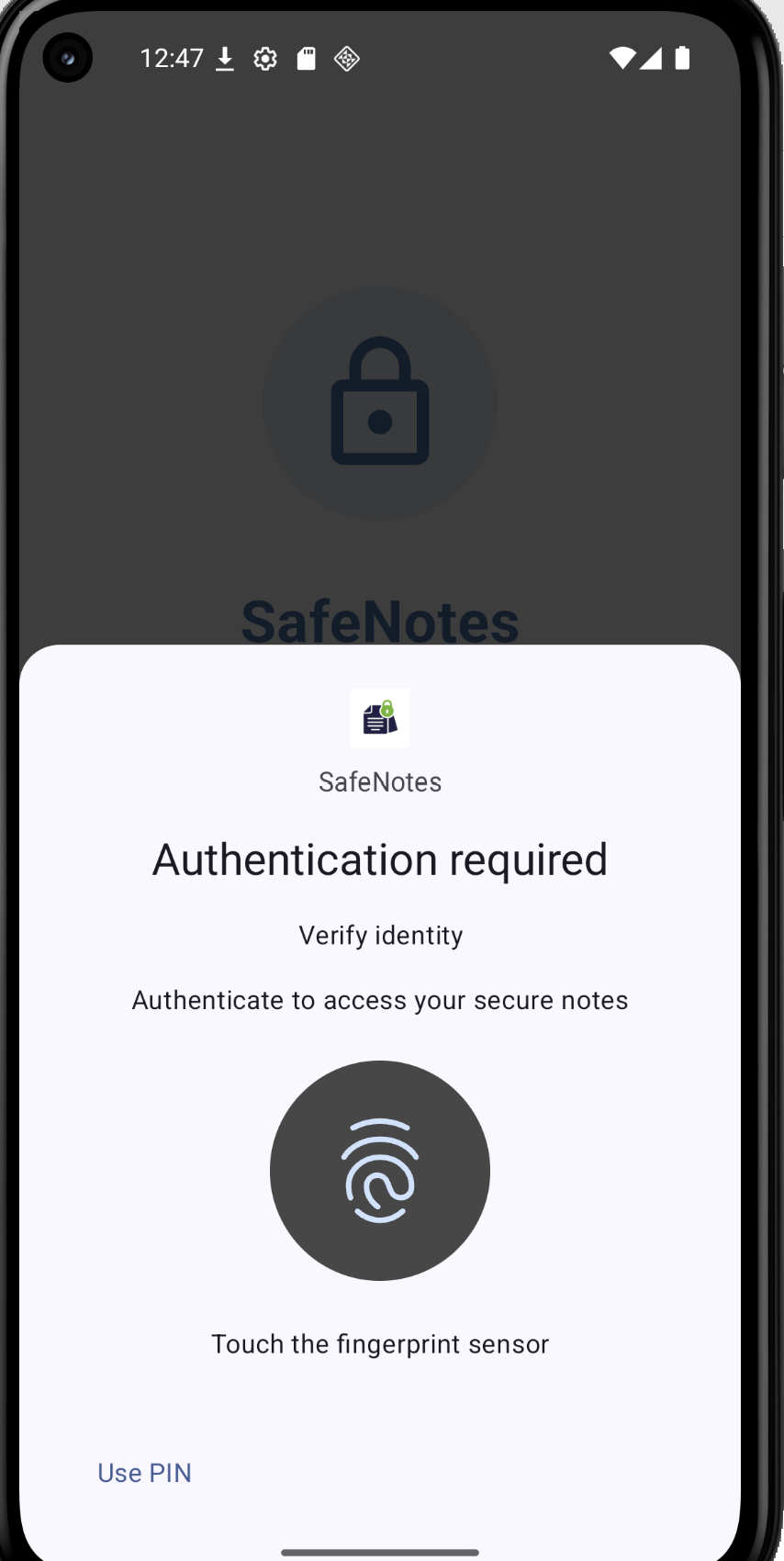
Biometric Auth
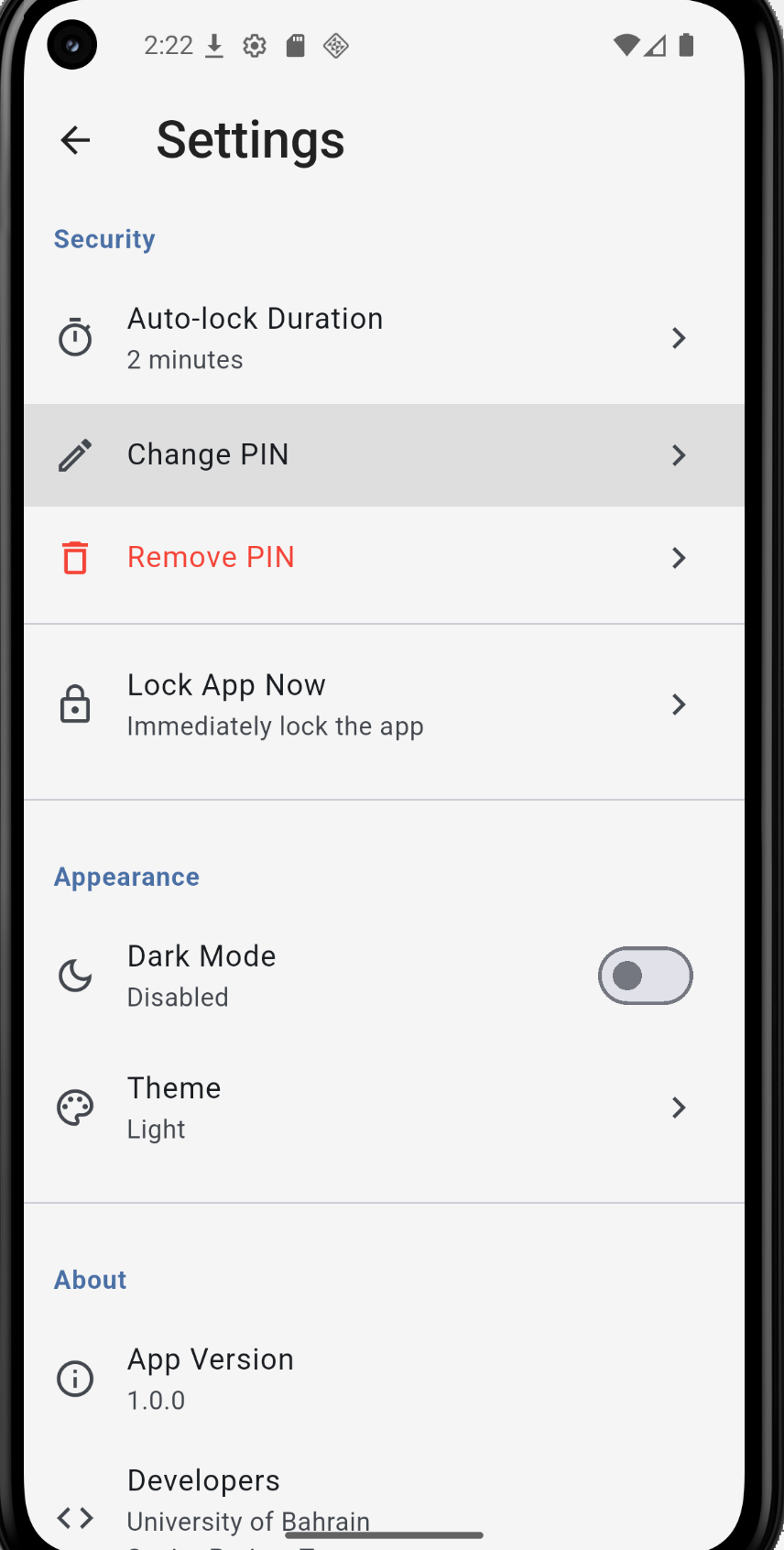
Settings

Security built into every layer

Most note-taking apps treat security as an optional feature. SafeNotes treats it as the foundation.

People store passwords, banking PINs, and private correspondence in note apps without considering what happens if their device is compromised. Most of these apps store data in plaintext databases that anyone with a USB cable and two minutes can read.

SafeNotes was built to close that gap. The entire database is encrypted at the file level using SQLCipher with AES-256 in CBC mode. Biometric authentication through the Android and iOS native APIs replaces the weak password-only model that most comparable apps rely on.

The app runs completely offline. Nothing is sent to any external server, which eliminates cloud-based vulnerabilities entirely while maintaining full functionality.

  • Database-level encryption — extracting the file gets an attacker an unreadable binary
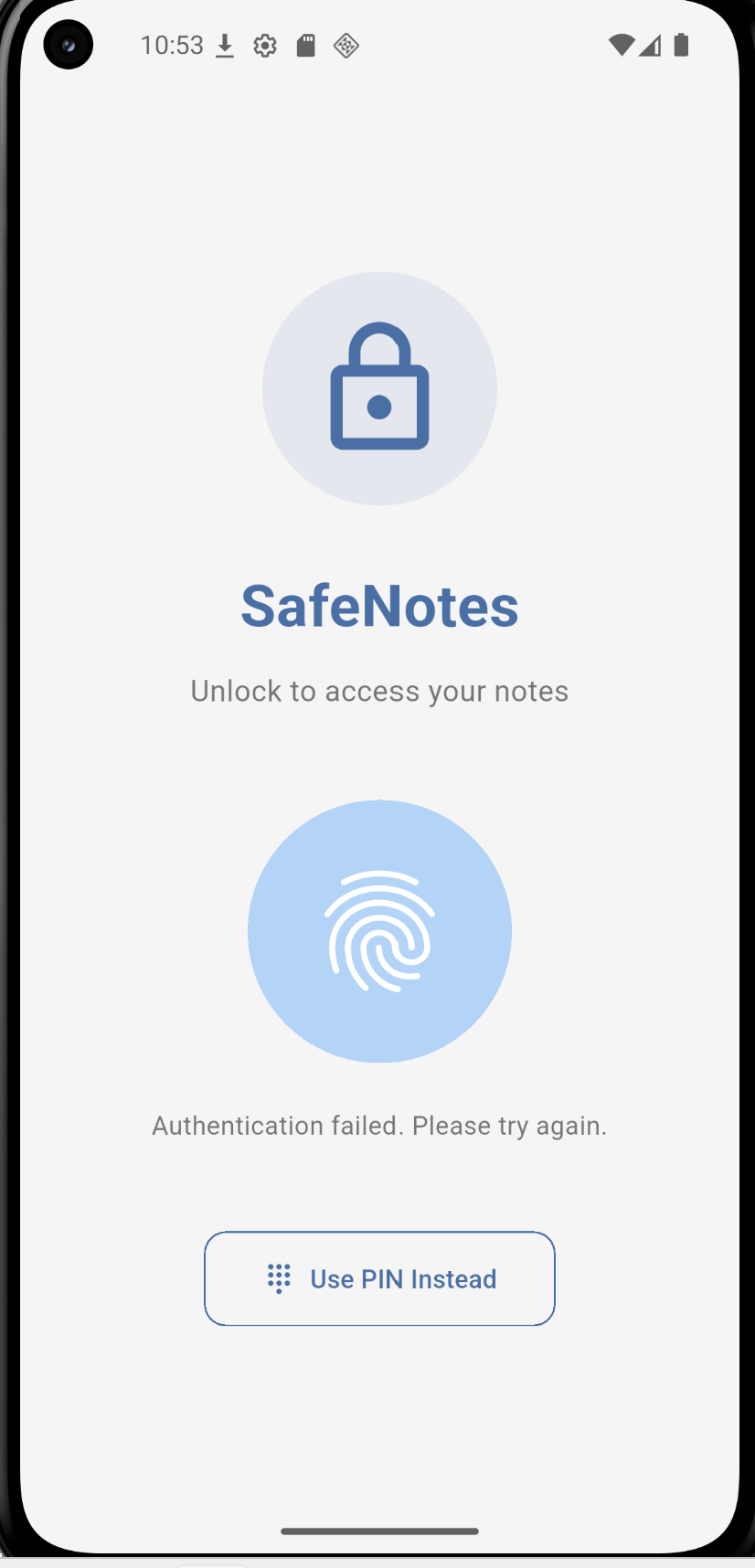
  • Biometric authentication as the primary gate, with PIN fallback
  • Per-note locking adds a second authentication checkpoint inside the app
  • Auto-lock closes the exposure window when the app is left unattended
  • All 26 component tests and 26 system tests passed during verification
Security Architecture — 4 Layers
01
SQLCipher Database Encryption
AES-256 CBC at the 4KB page level via PBKDF2 with 256,000 iterations
02
Hardware-Backed Key Storage
PIN hash stored in Android Keystore / iOS Keychain — inaccessible via software
03
Biometric Authentication
Native BiometricPrompt API on Android, LocalAuthentication on iOS
04
Auto-Lock Mechanism
Lifecycle-based background detection + configurable inactivity timer

Everything you need,
nothing you don't

Every feature in SafeNotes was designed with the security model in mind, not added as an afterthought.

🔐
AES-256 Encrypted Storage
The entire database is encrypted at the file level using SQLCipher. Without the key, the file is indistinguishable from random bytes. No title, content, or category name is visible externally.
👆
Biometric Authentication
Fingerprint and face recognition through the device's native biometric hardware. The app never sees the raw biometric data — only a true or false result from the OS.
🔒
Per-Note Locking
Individual notes can be locked independently. Accessing a locked note triggers a separate biometric or PIN prompt, adding a second layer of protection inside the app itself.
⏱️
Configurable Auto-Lock
The app automatically locks after 30 seconds, 1 minute, 2 minutes, or 5 minutes of inactivity. It also locks immediately when minimised, regardless of the timer state.
📂
Categories and Organisation
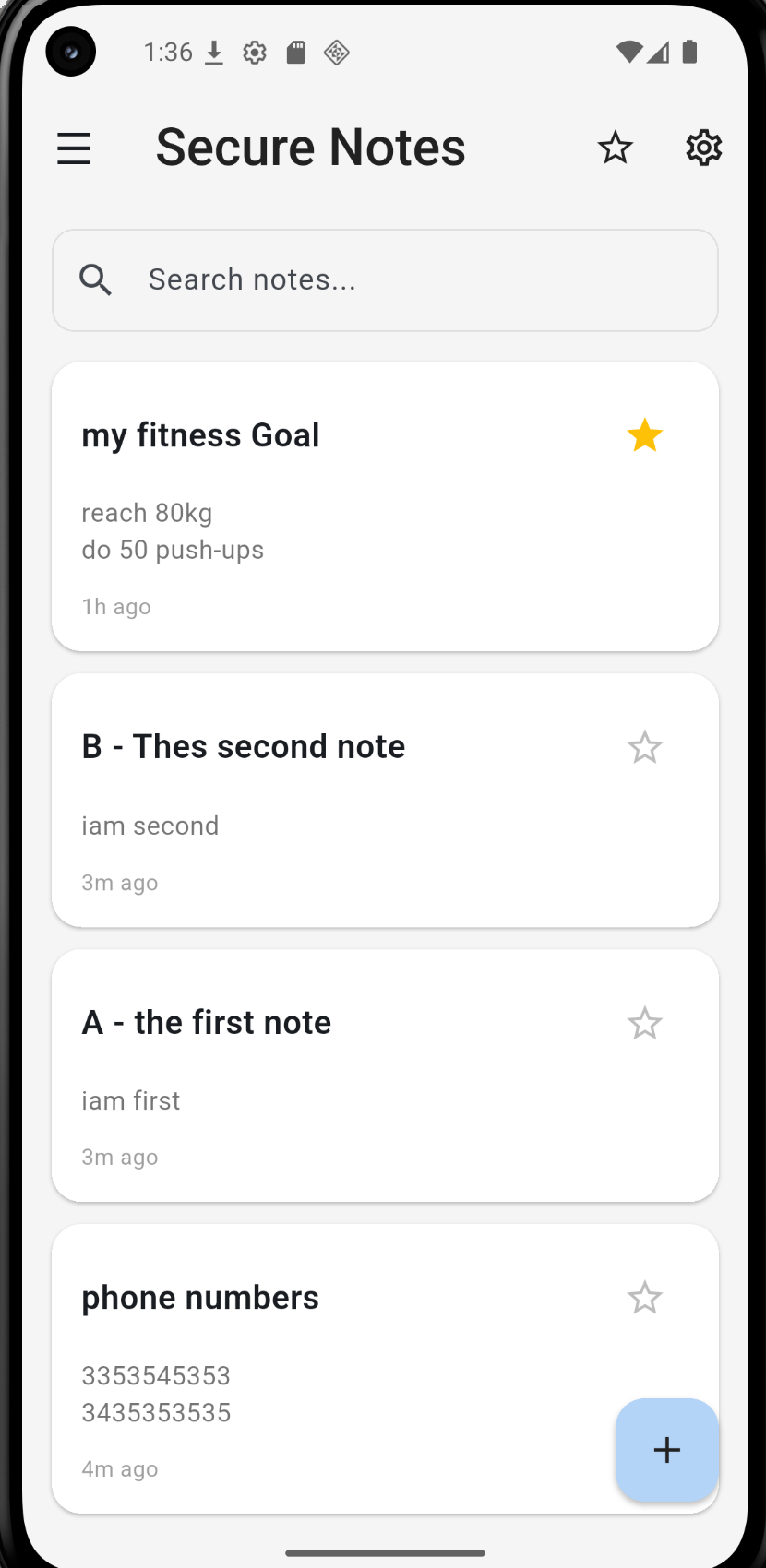
Notes can be organised into categories, marked as favourites, searched by title and content, and sorted as needed. All of this runs on the encrypted local database.
✏️
Rich Text Editor
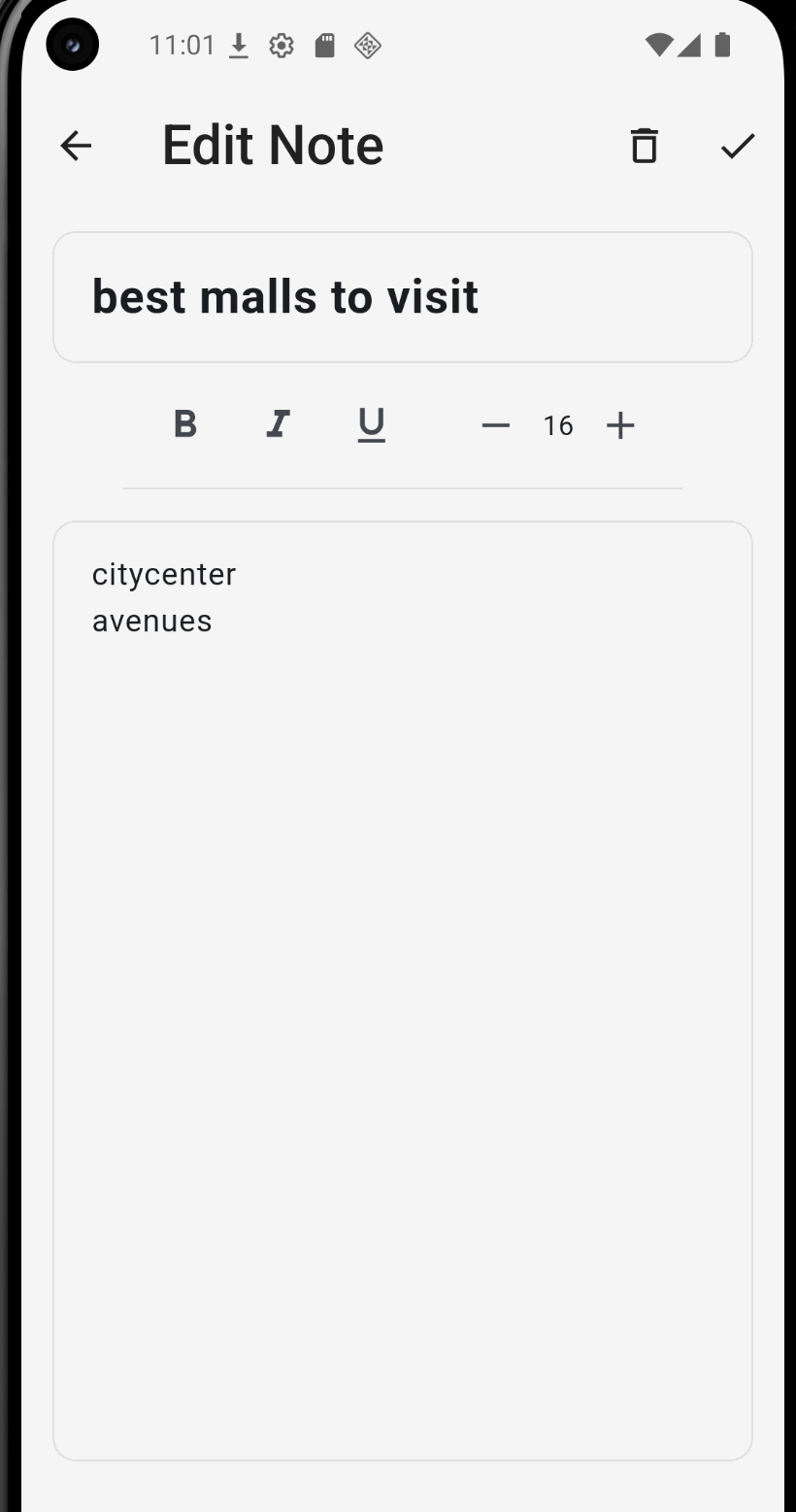
Notes support bold, italic, underline, and font size adjustment. The editor is clean and minimal, keeping the focus on the content without unnecessary complexity.
🌙
Dark and Light Themes
The app supports system default, light, and dark themes. Preference is stored in the settings and applied immediately without restarting the application.
📵
Fully Offline
SafeNotes has no network component. Nothing leaves the device. There is no server to breach, no account to compromise, and no cloud dependency to introduce risk.
📱
Cross-Platform
Built with Flutter, the app runs on both Android and iOS from a single codebase. Android 8.0 and above is fully supported and tested on physical hardware.

See it in action

Real screenshots from the app running on physical hardware during development and testing.

Lock Screen
Lock Screen
Biometric Auth
Biometric Authentication
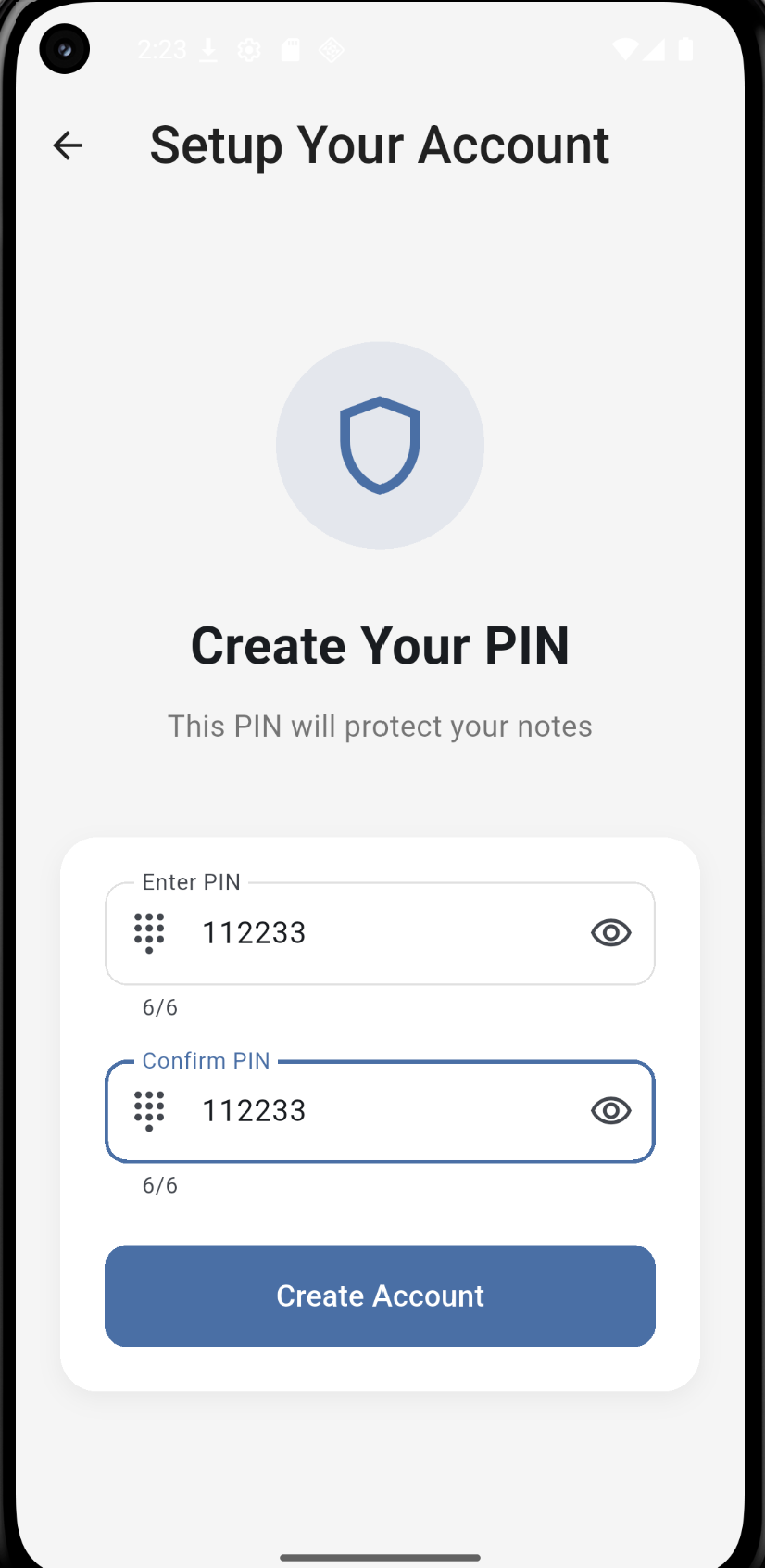
PIN Setup
PIN Setup
Notes List
Notes List with Per-Note Locking
Note Editor
Rich Text Note Editor
Settings
Settings Screen

Get SafeNotes on your device

Currently available as an Android APK. iOS support is available through Flutter's cross-platform build.

  1. 1

    Download the APK

    Click the download button below to get the latest SafeNotes APK (v1.0.0) from the GitHub releases page.

  2. 2

    Allow unknown sources

    On your Android device, go to Settings → Security → Install unknown apps, and allow installation from your browser or file manager.

  3. 3

    Open the APK file

    Locate the downloaded APK in your file manager and tap it to start the installation. Follow the on-screen prompts.

  4. 4

    Set up your PIN and biometrics

    On first launch, you will be guided through creating a 6-digit PIN. Biometric authentication activates automatically based on your enrolled credentials.

↓ Download SafeNotes v1.0.0 APK
Requirements
Android 8.0 (API level 26) or higher
Biometric hardware (fingerprint or face sensor)
~20 MB storage space
No internet connection required
No account or registration needed
Source Code
Built with Flutter 3.x and Dart 3.x
SQLCipher via sqflite_sqlcipher
Biometrics via local_auth
Secure storage via flutter_secure_storage
View Source on GitHub →

Built by students at
University of Bahrain

SafeNotes was developed as a senior capstone project (ITCY 499) for the B.Sc. in Cybersecurity program, College of Information Technology.

👨‍💻
Jaber Khalid Abdullah Askani
Team Member
202207991
👨‍💻
Osama Humood Taha Ali
Team Member
202210387
👨‍💻
Fawaz Ayman Alkhayer
Team Member
202202748
👩‍🏫
Project Supervisor
Dr. Hadeel Alobaidy
University of Bahrain — College of Information Technology, Department of Information Systems